
SV600
Overhead
Document Scanner
Scan everything from business cards to A3 documents, newspapers, and thick books without damage. Contact-free digitisation in seconds.
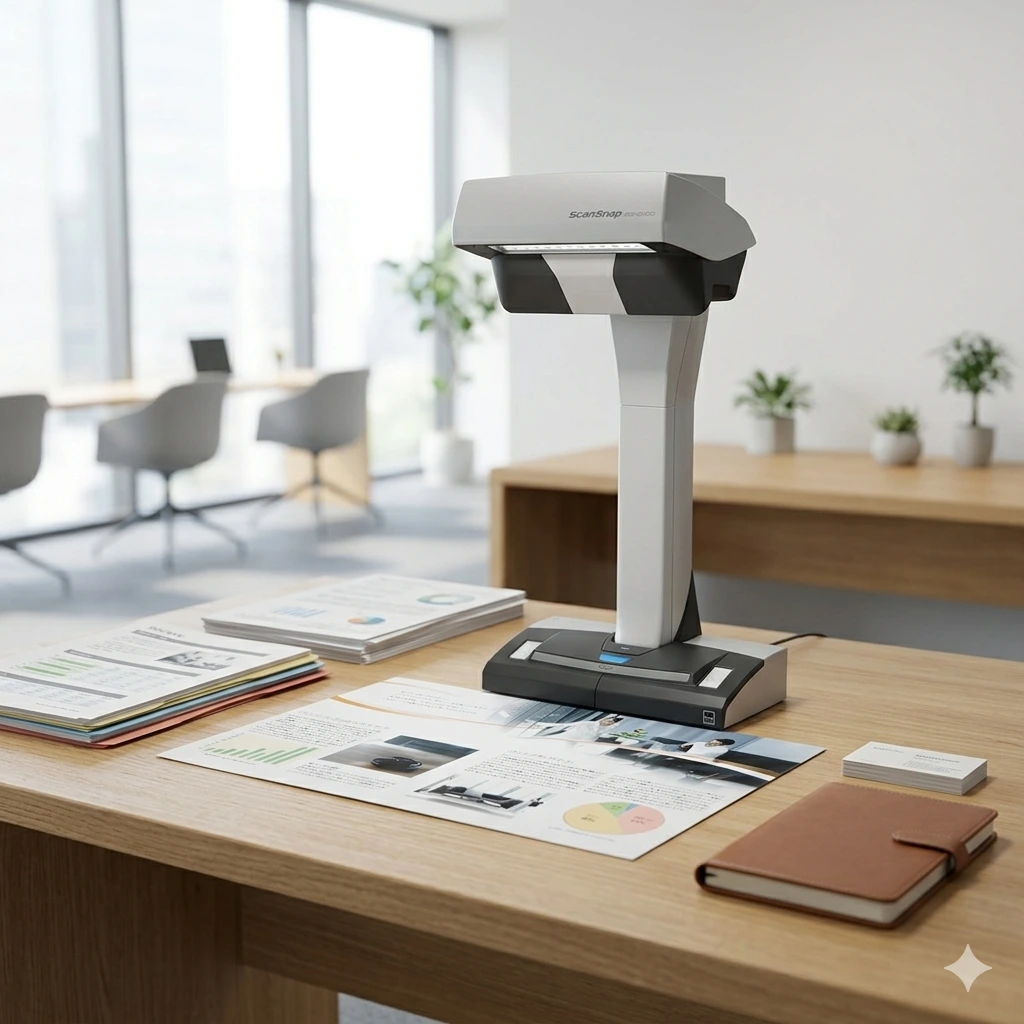
Scan anything
Non-contact
Scan delicate or bound documents without feeding them through rollers.
Wide versatility
Handles up to A3 size, thick books, and fragile originals with ease.
Book flattening
Advanced image correction removes the curve of bound books automatically.
Fast capture
Just 3 seconds for an A3 document. Start scanning the moment you flip a page.
Applications in Malaysia
Libraries & Archives
- Digitising rare books and fragile bound volumes
- Newspaper and periodical archiving
- Historical document preservation
- Multi-item scanning of photos and clippings
Education & Research
- Scanning textbooks without damaging bindings
- Research paper and journal digitisation
- Thesis and reference material capture
- Classroom material archiving
Design & Creative Studios
- Scanning oversized sketches and artwork
- Portfolio and print sample digitisation
- Business card and photo batch capture
- Fragile original-document preservation
Why Choose Ricoh ScanSnap SV600
- Contact-free overhead design means nothing touches the document — ideal for fragile or bound originals
- Scans an A3-size area in under 3 seconds per page
- Book Image Correction technology automatically flattens page curvature from bound books
- Multi Document Detection scans up to 10 small items — photos, business cards, receipts — in a single pass
- Erase-finger technology removes fingers holding pages open from the final image
Ideal for libraries, archives, schools, and design studios in Malaysia that need to digitise books, bound documents, or oversized originals without ever touching a flatbed or feeder.
Key Features
Versatile Scanning
Scan large A3 documents, newspapers, or thick books without damaging the spine.
Contact-free Operation
Nothing touches the document, making it ideal for fragile historical archives and delicate items.
Advanced Imaging
Features VI technology (Versatile Imaging) to ensure consistent scan quality across the entire scanning area.
Book Correction
Intelligent software automatically flattens images of books, correcting finger impressions and page curvature.
Productivity
Multi-document detection allows you to scan multiple small items like business cards and photos at once.
A3-Size Contactless Capture
Captures a full A3 area per scan without cutting, folding, or feeding the original through rollers.
ScanSnap SV600 overhead scanner
- Versatile Scanning Scan large A3 documents, newspapers, or thick books without damaging the spine.
- Contact-free Operation Nothing touches the document, making it ideal for fragile historical archives and delicate items.
- Advanced Imaging Features VI technology (Versatile Imaging) to ensure consistent scan quality across the entire scanning area.
- Book Correction Intelligent software automatically flattens images of books, correcting finger impressions and page curvature.
- Productivity Multi-document detection allows you to scan multiple small items like business cards and photos at once.
Full technical specifications
| Scanner type | Overhead, contact-free (Simplex) |
| Image sensor | Lens reduction optics / Color CCD x 1 |
| Light source | White LED + lens illumination x 2 |
| Scan speed (A3) | Approx. 3 seconds per page (Better/Best mode) |
| Maximum document size | 432 x 300 mm (A3) |
| Document thickness | Up to 30 mm (1.18 in.) |
| Optical resolution | 285 to 218 dpi (horizontal) · 283 to 152 dpi (vertical) |
| Output resolution | Color: 150–600 dpi · Grayscale: 150–1,200 dpi |
| Interface | USB 2.0 / USB 1.1 (Type-B) |
Specifications sourced from the official RICOH/ScanSnap SV600 datasheet.
General specifications
| Power consumption | 20W or less (Operating) · 2.6W or less (Sleep) · 0.4W or less (Standby) |
| Operating environment | 5–35°C (41–95°F), 20–80% relative humidity (non-condensing) |
| Environmental compliance | ENERGY STAR, RoHS |
| Dimensions (W x D x H) | 210 x 156 x 383 mm |
| Weight | 3.0 kg (6.6 lb) |
| Driver | Specific ScanSnap driver (does not support TWAIN/ISIS) |
| Included software | ScanSnap Home, Rack2-Filer Smart, ABBYY FineReader for ScanSnap |
| Box contents | Scanner, background pad, AC cable, AC adapter, Setup DVD-ROM |
Power, environment, OS, and software details from the official RICOH/ScanSnap SV600 datasheet.
Product video
Brochure
Price in Malaysia
Single Unit Order
Suitable for home offices, personal workspaces, and individual business users.
Bulk Office Purchase
Ideal for SMEs, companies, schools, and administrative departments requiring multiple units.
Large Quantity Orders
Suitable for tenders, government departments, and organisation-wide deployment projects.
Pricing depends on order quantity, delivery location, and project requirements. Contact us for the latest Ricoh ScanSnap SV600 quotation and wholesale pricing in Malaysia.
Comparison Overview
| Feature | Ricoh ScanSnap SV600 | Generic Scanner | Manual Filing |
|---|---|---|---|
| Scan Speed | Approx. 3 sec/page (A3) | Slower | N/A |
| Image Quality | 600 dpi + PaperStream IP | Standard | N/A |
| Connectivity | USB 2.0 | USB Only | None |
| Software | PaperStream IP / ScanSnap Home + Capture | Basic | None |
| Malaysia Supplier Support | Yes ✓ | Limited | No |
IMPROVE YOUR FRONT-OFFICE WORKFLOW
Explore the official product details for the ScanSnap SV600.
Frequently asked questions


