
ScanSnap
iX1300
Desktop Scanner
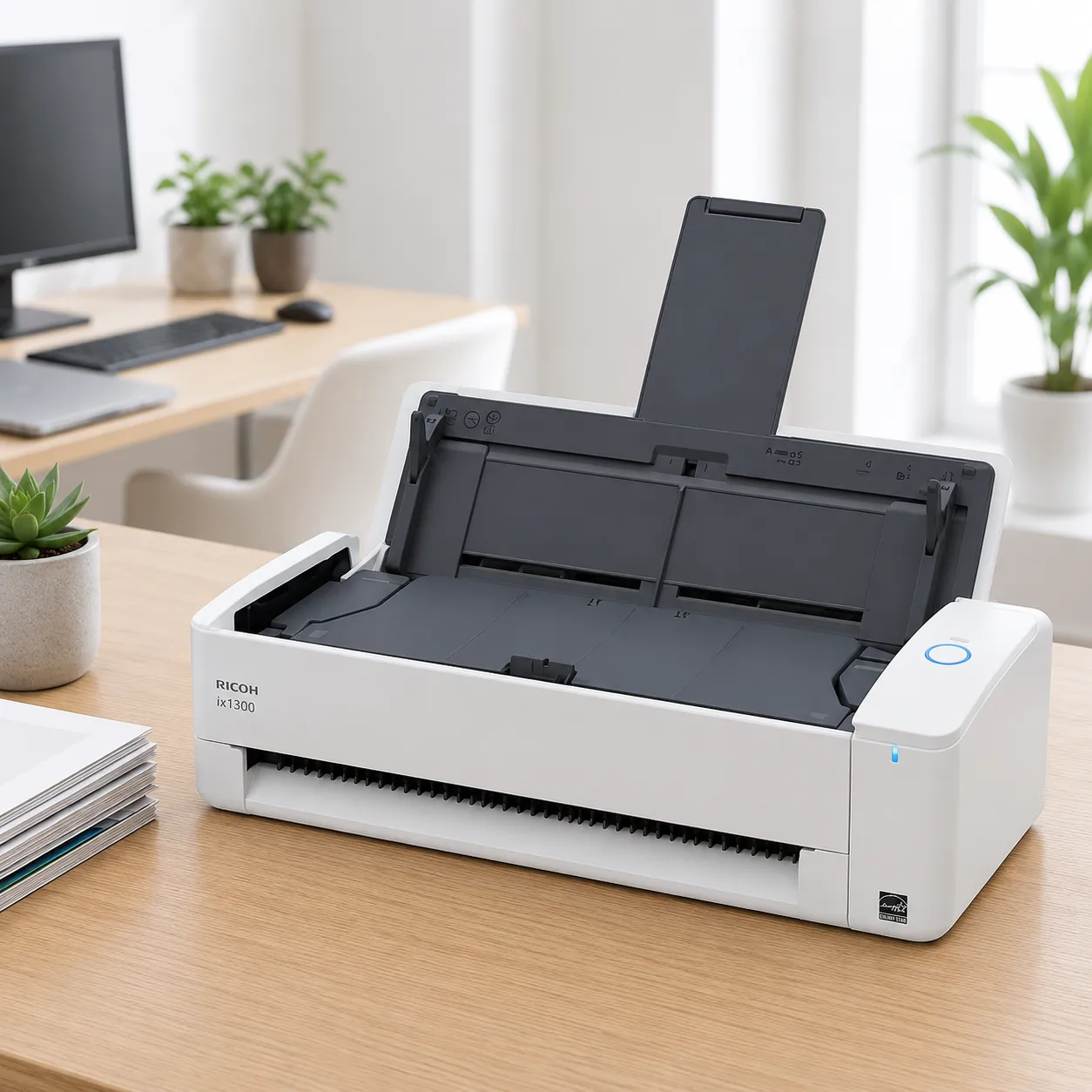
30 pages per minute. Compact, versatile, and space-saving scanner for home and office environments.
Versatile scanning
Dual feed paths
U-turn path for batch scanning and Return Path for plastic cards and thicker media.
Compact size
Minimal footprint fits on any desk or small shelf space.
High performance
30 ppm speed ensures fast digitization of daily paperwork.
Smart software
Includes ScanSnap Home for automated image management.
Applications in Malaysia
Home & Home Office
- Household bill, receipt, and warranty digitisation
- Mail sorting at the entryway or home desk
- School forms and children's paperwork archiving
- Personal ID and document backup
Small Business & Freelance
- Client invoice and receipt scanning
- Business card and contact digitisation
- Contract and agreement filing
- Tax season document preparation
Tight Workspaces
- Reception desks with limited counter space
- Shared co-working desks
- Compact home studios and side-desks
- Point-of-entry mail and parcel paperwork
Why Choose Ricoh ScanSnap iX1300
- One of the smallest operating footprints in its class — fits an A4-sheet-sized space even while scanning
- Dual feed paths: U-turn for batch documents, Return Scan for cards, receipts, and folded A3 sheets up to 2mm thick
- Wi-Fi connectivity scans straight to PC, Mac, mobile, or ScanSnap Cloud without extra cabling
- ScanSnap Home software auto-organises scans into searchable PDFs, Word, Excel, and PowerPoint files
- 30 ppm / 60 ipm keeps everyday paperwork from piling up
Ideal for home offices, entryway mail stations, and small businesses in Malaysia that need reliable scanning without dedicating desk space to it.
Key Features
Versatile Feed Paths
Switch between the U-turn path for multi-page documents and the Return Path for receipts and cards.
Compact Efficiency
Designed to save space, the iX1300 fits anywhere while maintaining powerful scanning performance.
Wireless Convenience
Easy Wi-Fi setup allows scanning directly to your devices or cloud platforms.
Automated Management
ScanSnap Home software automatically detects and classifies document types, reducing manual effort.
Built for Small Spaces
One of the smallest ScanSnap footprints available, designed to disappear onto a crowded desk when not in use.
Ricoh ScanSnap iX1300
- Versatile Feed Paths Switch between the U-turn path for multi-page documents and the Return Path for receipts and cards.
- Compact Efficiency Designed to save space, the iX1300 fits anywhere while maintaining powerful scanning performance.
- Wireless Convenience Easy Wi-Fi setup allows scanning directly to your devices or cloud platforms.
- Automated Management ScanSnap Home software automatically detects and classifies document types, reducing manual effort.
Full technical specifications
| Scanner type | ADF (U-turn path) / Return Path (manual feed) |
| Scan speed | 30 ppm simplex / 60 ipm duplex (A4, 200/300 dpi) |
| Image sensor | CIS x 1 |
| Optical resolution | 600 dpi |
| ADF capacity | 20 sheets (A4 80 g/m²) |
| Return Path media | Cards, receipts, and folded documents up to 2mm thick |
| Interface | USB 3.2 Gen 1 / Wi-Fi (802.11 b/g/n/ac) |
Specifications sourced from the official RICOH/ScanSnap iX1300 datasheet.
General specifications
| Power requirements | AC 100–240V or USB bus power |
| Operating environment | 5–35°C (41–95°F), 20–80% relative humidity (non-condensing) |
| Environmental compliance | ENERGY STAR, RoHS |
| Dimensions (W x D x H) | 296 x 114 x 87 mm (11.7 x 4.5 x 3.4 in.) |
| Weight | 2.0 kg (4.4 lb) |
| Supported operating systems | Windows 11, Windows 10, macOS, iOS, iPadOS, Android, Chrome OS |
| Included software | ScanSnap Home, ABBYY FineReader for ScanSnap |
| Box contents | Scanner, AC cable, AC adapter, USB cable, Setup Guide |
Power, environment, OS, and software details from the official RICOH/ScanSnap iX1300 datasheet.
Product video
Brochure
Price in Malaysia
Single Unit Order
Suitable for home offices, personal workspaces, and individual business users.
Bulk Office Purchase
Ideal for SMEs, companies, schools, and administrative departments requiring multiple units.
Large Quantity Orders
Suitable for tenders, government departments, and organisation-wide deployment projects.
Pricing depends on order quantity, delivery location, and project requirements. Contact us for the latest Ricoh ScanSnap iX1300 quotation and wholesale pricing in Malaysia.
Comparison Overview
| Feature | Ricoh ScanSnap iX1300 | Generic Scanner | Manual Filing |
|---|---|---|---|
| Scan Speed | 30 ppm / 60 ipm | Slower | N/A |
| Image Quality | 600 dpi + PaperStream IP | Standard | N/A |
| Connectivity | USB 3.2 Gen 1 / Wi-Fi | USB Only | None |
| Software | PaperStream IP / ScanSnap Home + Capture | Basic | None |
| Malaysia Supplier Support | Yes ✓ | Limited | No |
IMPROVE YOUR FRONT-OFFICE WORKFLOW
Explore the official product details for the iX1300.
Frequently asked questions


